CNC ROUTER DESIGN & OPERATION : From Digital Design to Finished Product
The **CNC Router Design & Operation** course is a practical, industry-oriented training program designed to take learners from the fundamentals of CNC router technology to the production of real-world products. Learners…
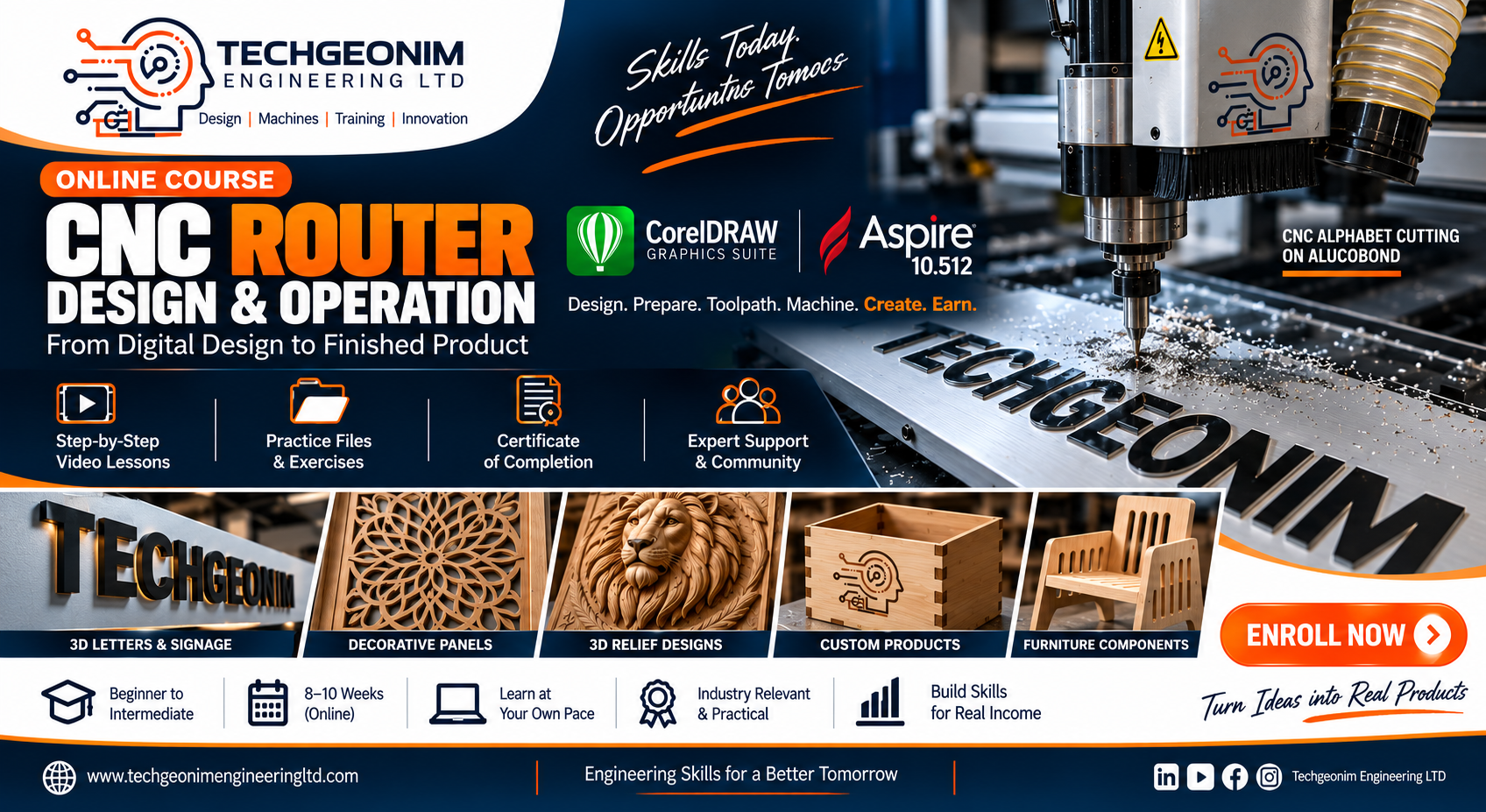
What you'll learn
Create professional vector designs in CorelDRAW.
Convert logos, images and artwork into CNC-ready vectors.
Create dimensions and layouts appropriate for manufacturing.
Design signs, panels, decorative products and functional components.
Import and prepare designs in Aspire 10.512.
Create 2D, 2.5D and basic 3D relief designs.
Create profiles, pockets, drilling and V-carving toolpaths.
Create roughing and finishing toolpaths.
Apply appropriate machining parameters.
Simulate and inspect machining operations.
Generate appropriate post-processed G-code.
Identify CNC router components and their functions.
Prepare the machine for production.
Select and install cutting tools.
Set work coordinates and machine zero.
Secure materials correctly.
Perform test cuts.
Execute CNC programs safely.
Monitor machining operations.
Troubleshoot common CNC router problems.
Select suitable materials and tooling.
Design products for CNC manufacturing.
Estimate machining time and material requirements.
Produce finished CNC products.
Build a portfolio of CNC projects.
About this course
The CNC Router Design & Operation course is a practical, industry-oriented training program designed to take learners from the fundamentals of CNC router technology to the production of real-world products.
Learners will be trained to:
1. Understand CNC router machines and their components.
2. Create production-ready designs using CorelDRAW.
3. Prepare and clean vector artwork for CNC machining.
4. Create 2D, 2.5D and basic 3D designs using Aspire 10.512.
5. Generate professional CNC toolpaths.
6. Select appropriate cutting tools.
7. Understand feeds, speeds, depth of cut and step-over.
8 Simulate machining operations before cutting.
9. Generate and understand G-code.
10. Set up materials and work holding.
11. Zero and reference a CNC router.
12. Load and execute CNC programs safely.
13. Perform test cuts and production machining.
14. Diagnose common machining and design problems.
15. Produce commercial CNC products.
16. Develop a portfolio of CNC projects.
The course is deliberately project-based, so students do not simply learn software commands they learn how to turn an idea into a physical product.
Requirements
- •
- Student Requirements
- •
• Basic computer literacy
- •
• Basic knowledge of Windows operating system
- •
• No prior CNC experience required
- •
• Basic understanding of measurements and dimensions
- •
• Willingness to complete practical exercises and projects
- •
• Commitment to follow CNC safety procedures
- •
- Computer Requirements
- •
A Windows laptop or desktop computer is required.
- •
Recommended:
- •
• Operating System: Windows 10/11, 64-bit
- •
• Processor: Intel Core i3, Core i5 / AMD Ryzen 5 or better
- •
• RAM: Minimum 4, 6, or 8 GB; 16 GB recommended
- •
• Storage: At least 20 GB free space; SSD recommended
- •
• Graphics: Dedicated or modern integrated graphics (optional)
- •
• Display: Minimum 14-inch, Full HD recommended
- •
• USB ports: At least 1–2 USB ports
- •
• Mouse: Recommended for CAD/CAM work
- •
• Internet: Stable internet connection for course videos, downloads and support
Course Curriculum
1 modules · 4 lessons
- Course Orientation & CNC Production Workflow
Introduces the Techgeonim Engineering Ltd course, learning objectives, course structure, assessments, and the complete CNC workflow from design to finished product.
- Computer Requirements, Software & Learning Resources
Covers the required computer specifications, internet requirements, CorelDRAW and Aspire 10.512, course files, practice materials, and other resources needed for successful participation.
- Software Installation & Initial Configuration
Provides a step-by-step demonstration of installing CorelDRAW and Aspire 10.512, configuring measurement units, setting up the workspace, and preparing both applications for CNC design and CAM work.
- CNC Project Workspace & File Management
Teaches students how to create a professional project-folder structure, manage CorelDRAW/Aspire files, organize DXF and G-code files, create backups, and follow proper CNC file-naming practices.
Student Reviews
No reviews yet.
₦200,000
CNC ROUTER DESIGN & OPERATION : From Digital Design to Finished Product
₦200,000